This topic came to mind when I was organizing my tool palettes for AutoCAD and reviewing commands to better streamline my daily workflow. – I am guessing whoever ends up reading this post will do this as well.
This is 2020, why are we still using AutoCAD? Because Revit is still missing its mark to be an all-in-one solution for Architects. At least here in Hong Kong. Where design and drawing documentation is still mostly done via AutoCAD, from my experience in working in the one of the biggest architectural practices in the world last year, to our 3 person studio now.
Yet, as architects we basically receive zero formal training to all of the necessary software that are required from us.

I guess I want part of the blog’s function to be a Digital Toolbox for tackling actual design issues that we as architects face everyday.
And this week I chose to learn all about splines, and any potential use cases and workflows that I can imagine might be useful to everyone.
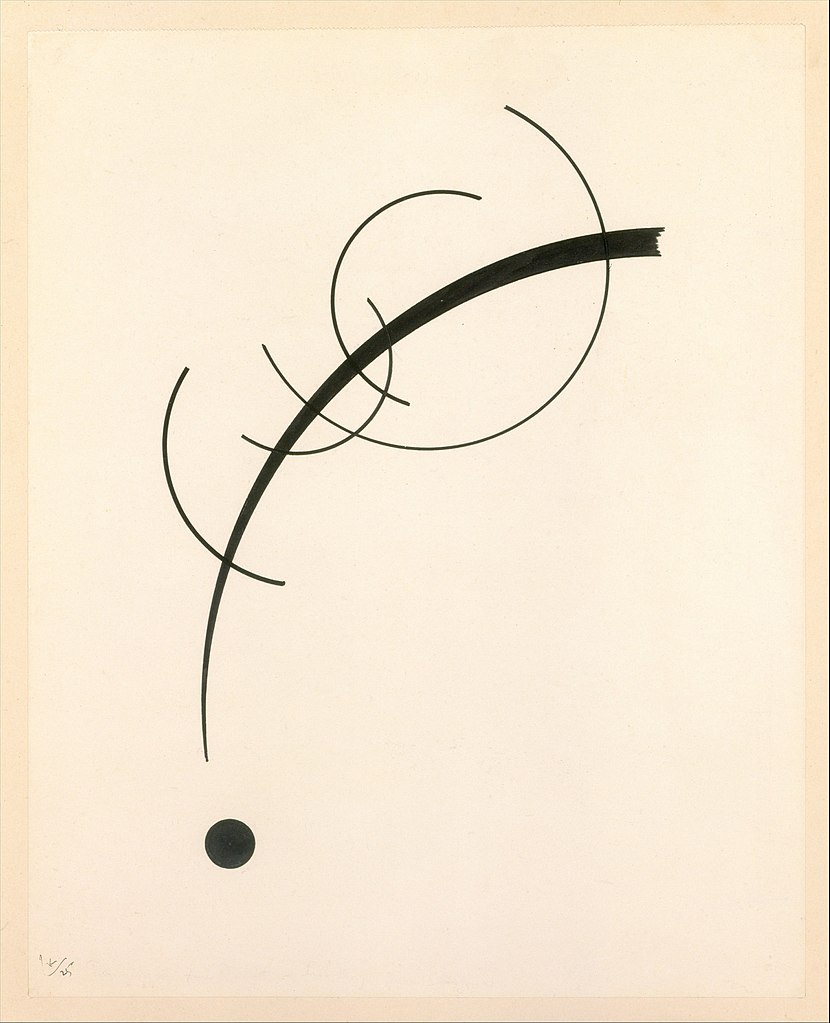

The above images demonstrates the visual contrast between a spline (or a NURB) and a simple curve (and the difference in its beauty!).
The term spline actually originated from naval architecture, years before computational design – where they would place metal weights (called knots) at fixed control points, and bend a thin metal/ wooden stick called a spline through the weights. The physics of the bending spline meant that you could define a curve with decreasing radii, or a polynomial function. However there was a big disconnect between data exchange from the architect to the ship builders. They would have scaled up versions of the splines/ wooden beams to best approximate the curvature.
However, this method of building required highly skilled workers and this was not very popular over in the construction world. And as architects, we need to tell general building contractors clearly in drawing, exactly how to build, even nowadays, its very common to have contractors who will just tell you to fuck off if you give them one “free form curve”.
Of course, in the future where fully digital fabrication is more matured, we won’t even be interested in this topic anymore. However, now, what you see all over the world, is misinformed architects who end up ‘filleting’ everything with the same radius, and to them it shows they too can draw curves.(I am sure you guys know what I mean.)
Or, if you are lucky and are in a big enough office, you can hire more consultants/ builders and manufacturers who might be capable of building/ recreating a freeform design.
There seems to be a disconnect between the designer and the person who is translating it to paper.
The solution
I first tried to explore the function of the spline command as I knew nothing about it and had stayed away from it in the 11 years I had been in this field.

The grey lines are the construction lines while the cyan circles are the executed clicks for the splines in the project.
Use-case scenario 1:
The first practical use I found was basically you can use the AutoCAD spline command to simulate the [blend curves] function of Rhino, but of course if you already have rhino then you may not really need this use case, but it saves you from going between programs.
Step one – you would draw construction lines in tangent to the curves you intend to blend together. The way I did this was to use the XLine command and hold shift-right click to activate the perpendicular lock at the end of the curve, and rotate by 90 degrees afterwards.)
Step 2 – Simply use the spline command (Control Vertices) and click on the end of the first curve, then the intersection of your tangent lines, and then the end of the second curve.
Use-case scenario 2:
You would like to document your beautiful curve design to the contractor with okay tolerances and simplified curvature – and we know that the convert to arc function or the convert to polyline function in AutoCAD gives you hundreds if not thousands of arcs to best fit your curve. Which you can’t practically document it on paper.
You need to use Rhino.
Instead of painstakingly tracing the beautiful curve with your sloppy polyline arc – I was actually told I needed to do this in my old job at Aedas. There is actually a script you can use which can be found on this link here: https://www.grasshopper3d.com/forum/topics/convert-nurbs-curve-to-arcs
A script by Jason Marks can give you a easy way to bake and control the approximation down to the number of arcs it consists of.
If I can think of more and better use cases I will give this post a re-visit. Otherwise, till next week lads.
 bldg I blog